
How to Delete Your Account
You can delete your Dueit account and all associated data directly from the app. Follow the steps below to permanently remove your account.
Open Account Settings
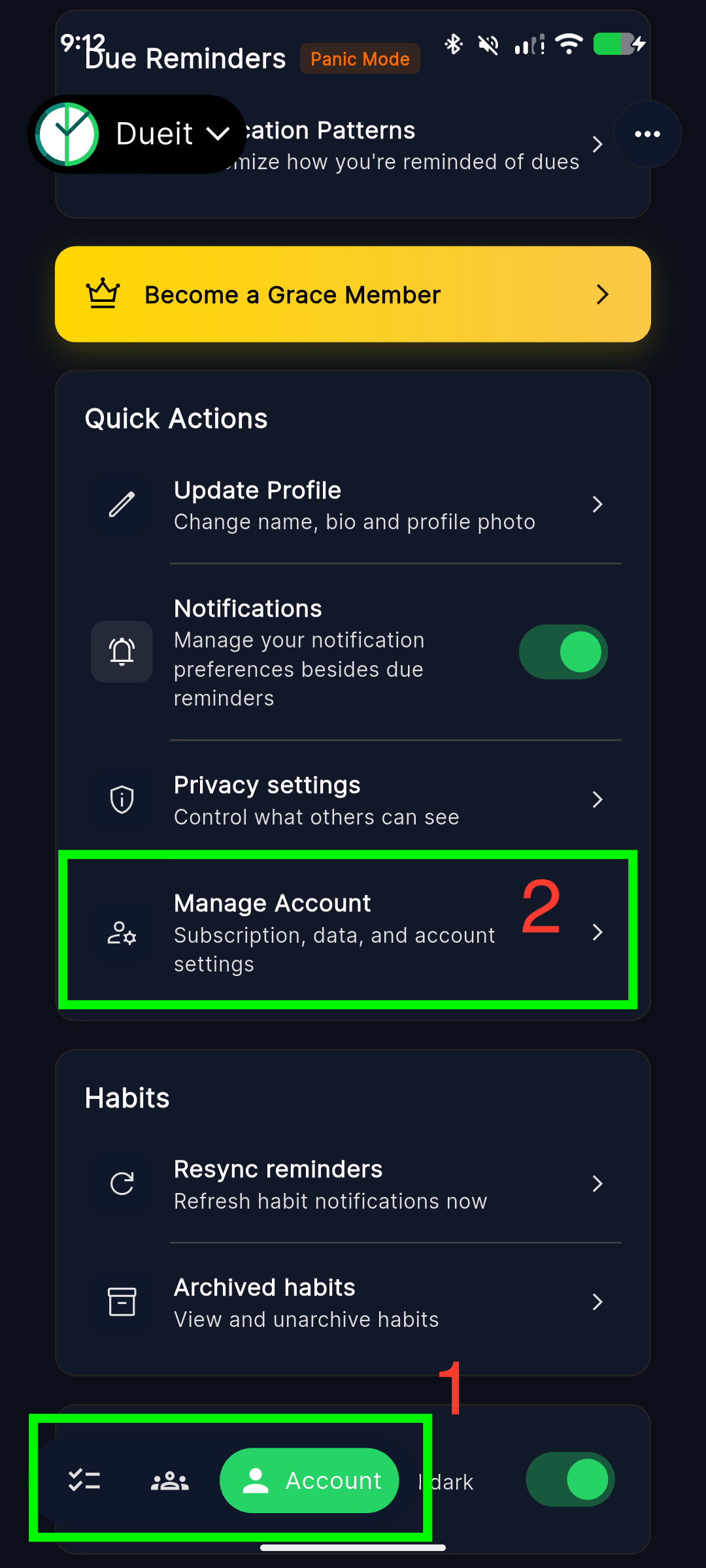
Open the Dueit app and navigate to the Account tab at the bottom. Then tap on "Manage Account" under Quick Actions.
Find the Delete Option
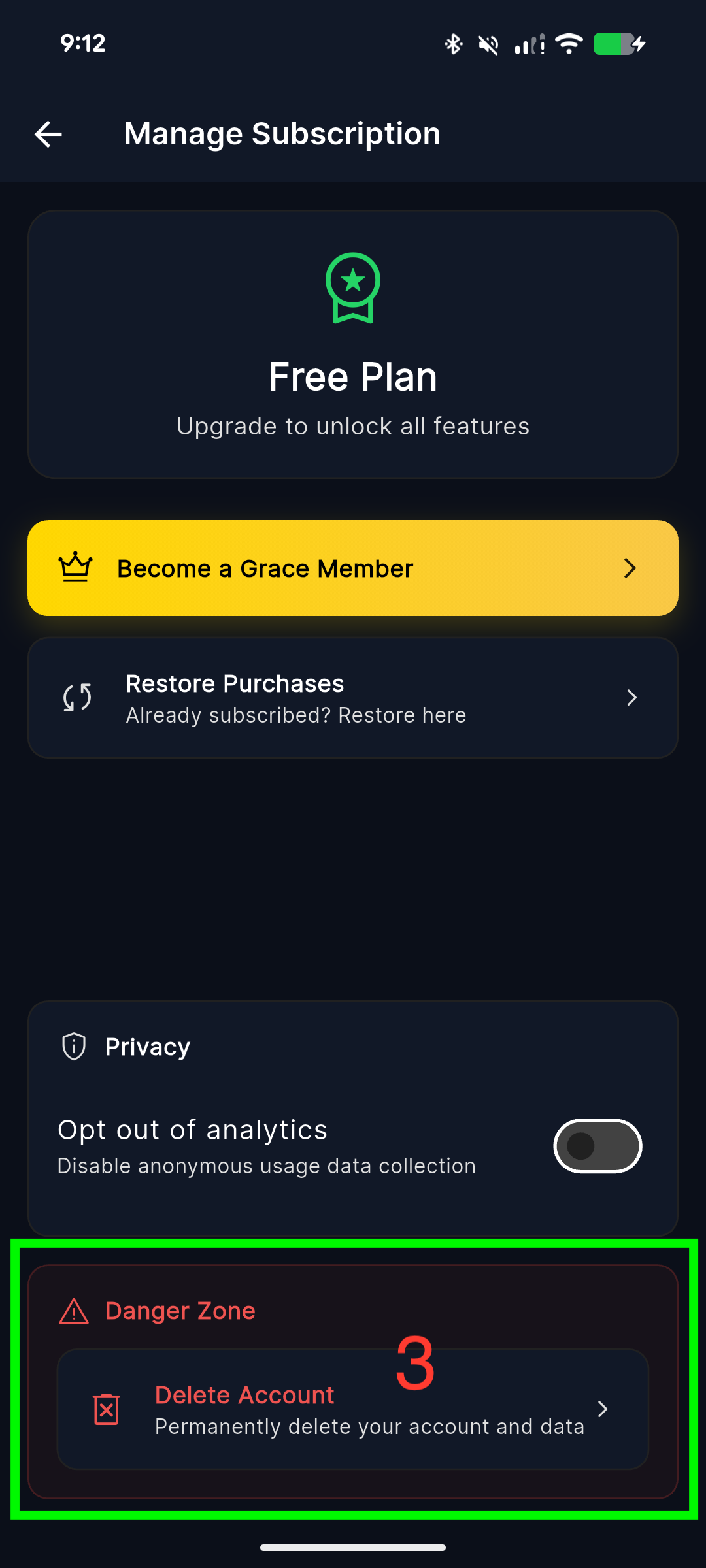
Scroll down to the "Danger Zone" section at the bottom of the page. Tap on "Delete Account".
Confirm Deletion
Enter your password to verify your identity, check the confirmation box to acknowledge that this action is permanent, then tap "Delete My Account".
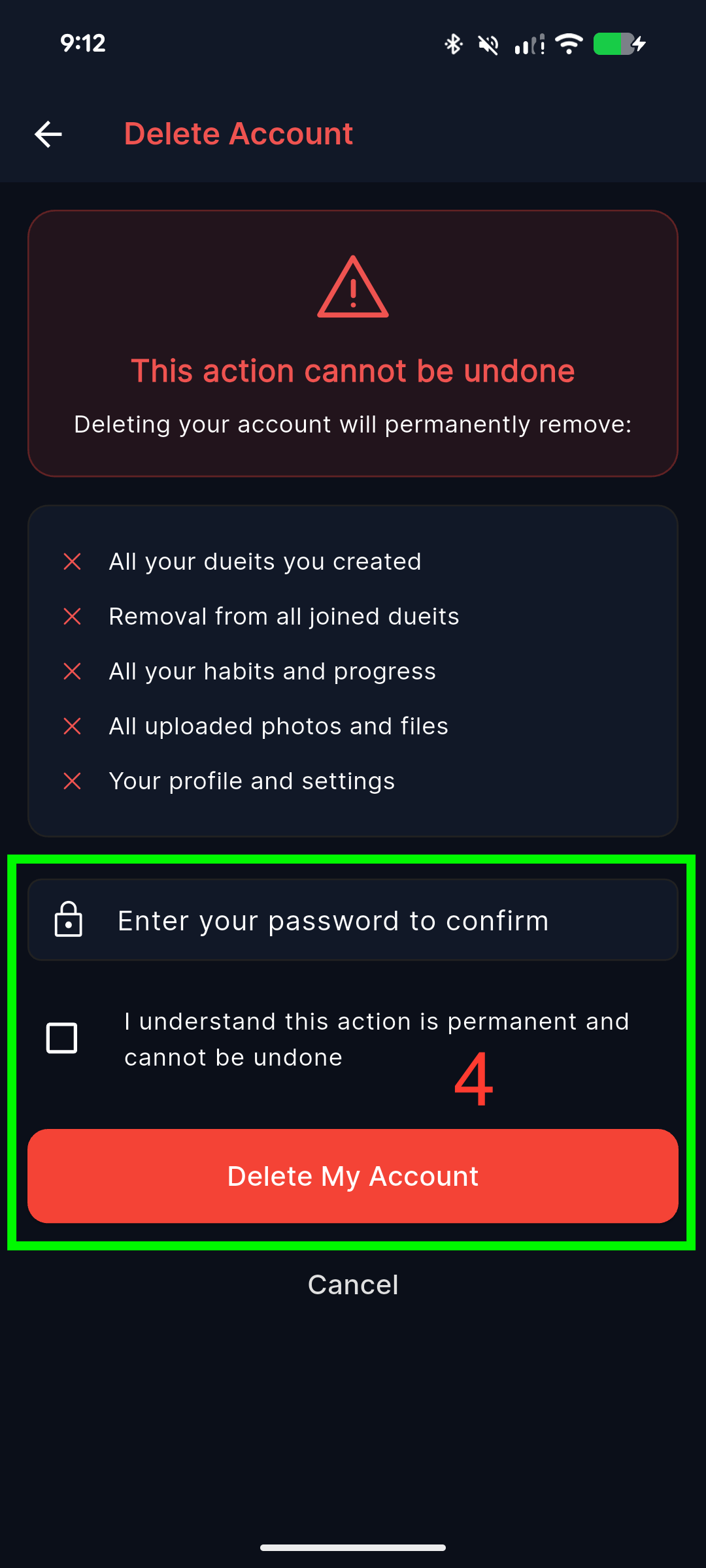
Signed in with Google or Apple? If you signed in via OAuth (Google/Apple Sign-In), you must have signed in within the last 5 minutes for security purposes. If needed, sign out and sign back in before deleting.
What Gets Deleted
- All dueits you created
- Your membership from all joined dueits
- All your habits and progress
- All uploaded photos and files
- Your profile and settings
Need help? Contact us at support@dueit.app